Knife VS Gun DUELS Mobile Guide
Touch controls, phone UI, code redemption, and duel wins on the go.
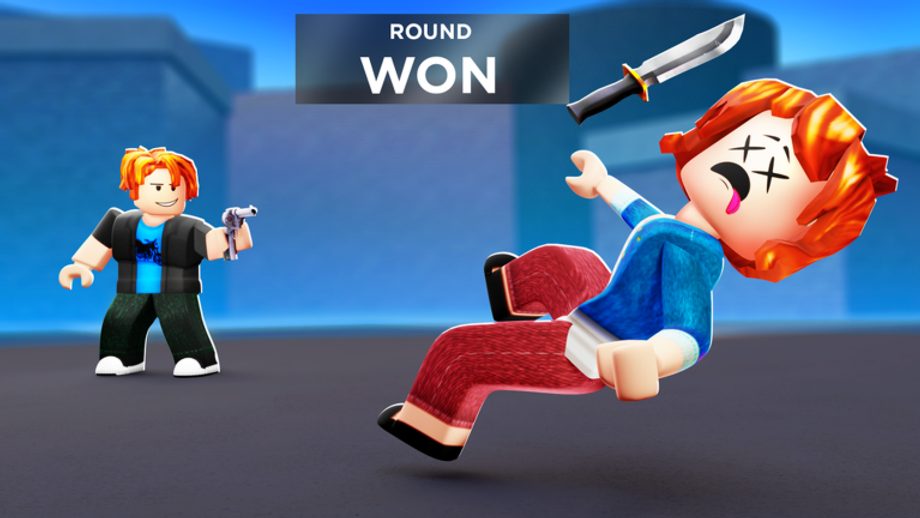
A large share of Knife VS Gun DUELS players queue 1v1 pad duels from phones and tablets. Roblox mobile runs the same forty-player lobbies, coin payouts, streak leaderboards, unboxes, and trading as PC — but touch input, smaller screens, and performance caps change how knife throws and gun aim feel. This guide covers mobile-specific controls, navigating Inventory for code redemption, graphics tuning, and habits that keep your win rate competitive against keyboard players.
Knife Gun Duels launched the experience on 2025-01-19 (Place 120700541929930). Mobile is fully supported; you are not locked to a watered-down clone if you launch the official page.
Mobile vs PC: what changes in duels
Pad duels still alternate knife rounds and gun rounds with the same win conditions. What shifts is execution:
- Camera sensitivity — thumb drags cover less precision than mouse flicks unless tuned.
- Button hitboxes — throw, shoot, jump, and block sit near screen edges; accidental taps cost streaks.
- Visibility — smaller screens hide peripheral pad cues and opponent movement.
- Latency — Wi-Fi and cellular jitter punish reactive knife feints more than predictive gun pre-aim.
None of these are excuses to skip fundamentals. Read How to Play for pad flow, then Controls for binding parity across devices.
Touch control layout basics
Roblox mobile overlays a virtual joystick and action buttons. In Knife VS Gun DUELS combat:
Movement — Left thumb on the virtual stick. Strafe during gun rounds; circle-strafe during knife rounds to bait throws.
Aim — Right side of the screen drags camera. Lower sensitivity in Roblox settings if overshooting is common.
Attack / throw — Tap the primary action button. Knife rounds need timing; gun rounds need crosshair placement before the tap.
Jump and utility — If your loadout includes mobility from passes like Jetpack (379 Robux), confirm the extra button does not overlap your fire control.
Practice ten minutes in low-stakes pads before pushing leaderboard streaks. Muscle memory on glass differs from desk play.
Redeeming codes on mobile
Promo codes work identically on phone. Active strings like FREECOINS, ILOVECOINS, 10MVISITS, 500KVISITS, FREEUNBOX, and LIKETHEGAME (Overseer Crossbow) redeem through:
- Open Inventory from the lobby UI.
- Tap ENTER CODE.
- Type the code carefully — mobile keyboards confuse
0/Oand1/I. - Confirm and verify coin balance or new weapons.
Typos are the top mobile failure mode. Copy from the Codes hub or use the Codes Copier on a second device if available. Full troubleshooting lives on How to Redeem Codes.
The Code Board near leaderboards is readable on mobile; zoom if UI scales poorly after a lobby update.
Inventory and loadout management on phone
Mobile Inventory scrolling is slower than PC drag-and-drop. Before a ranked session:
- Pre-equip one knife and one gun from your Best Loadouts plan.
- Hide or ignore cosmetics you will not swap mid-streak.
- Check unbox currency separate from coins so shop taps do not drain the wrong wallet — see How to Unbox.
Trading on mobile demands extra attention. Scammers exploit mis-taps in the trade window. Read How to Trade and confirm item names twice before accept.
Graphics and performance tips
Roblox mobile performance directly affects duel reactions.
Lower graphics when frames drop below a stable thirty FPS. Stutter during knife feints loses streaks faster than ugly textures.
Disable unnecessary effects if settings allow — bloom and heavy particles obscure crosshair clarity on small screens.
Close background apps to reduce thermal throttling during long streak sessions.
Use stable Wi-Fi for trade finalization and leaderboard pushes; cellular handoffs mid-trade cancel deals.
Custom Crosshair pass (79 Robux) helps some gun-round players on mobile where default reticles feel faint. Evaluate ROI on the Game Pass Tier List if aim is your bottleneck.
Mobile duel strategy adjustments
Winning on touch requires adapting tactics from How to Win Duels:
Gun rounds — Pre-aim common peek angles instead of flicking. Mobile flicks are slower; hold crosshair on pad centerlines.
Knife rounds — Shorter feint chains. Long animation dances fail when a thumb slips off the stick.
Streak psychology — Phone notifications interrupt focus. Enable Do Not Disturb during streak attempts; one DM can tilt you into a loss that wipes multiplier progress.
Opponent scouting — PC players sometimes have faster turns. Play spacing and patience rather than reaction contests you cannot win on latency.
Pair strategy with income planning from How to Earn Coins so mobile sessions stay productive even when you play in short bursts.
Social features on mobile
Leaderboards display in lobby; pinch-zoom if names truncate.
Discord links for code alerts and trade partners work from mobile browsers — join via the Wiki Links hub.
There is no official Trello; mobile players should bookmark this wiki and Discord instead of third-party apps promising fake code generators.
Common mobile mistakes
- Redeeming codes with autocorrect-altered strings.
- Opening unboxes one-handed while walking — mis-clicks drain coins.
- Accepting trades without reading final panel text scaled small.
- Playing on minimum brightness outdoors and missing pad queue prompts.
- Skipping Controls because “mobile is intuitive” — it is not for knife timing.
Recommended mobile learning order
- How to Play — pad and lobby basics.
- Controls — compare mobile section to your settings.
- Redeem all active Codes on a stable connection.
- How to Win Duels — mindset and spacing.
- Best Loadouts — minimize mid-match Inventory fumbling.
Related pages
- Controls — full input reference for all devices
- How to Play — first-match walkthrough
- How to Win Duels — streak and aim fundamentals
- Codes hub — active promos for mobile redemption
- How to Redeem Codes — ENTER CODE troubleshooting
Frequently Asked Questions
Quick answers about duels, codes, streaks, and wiki pages.
Can you play Knife VS Gun DUELS on mobile?
Yes. The official Roblox experience supports touch controls, Inventory, code redemption, unboxes, trading, and pad duels on phones and tablets.
How do I enter codes on mobile?
Open Inventory in the lobby, tap ENTER CODE, type the promo exactly, and confirm. Watch for keyboard typos on similar letters and numbers.
Is mobile harder than PC for duels?
Touch aim and smaller screens add difficulty, especially on gun rounds. Tune sensitivity, pre-aim angles, and practice knife spacing to stay competitive.
What graphics settings help mobile duels?
Lower quality if FPS drops, reduce heavy effects that obscure aim, use stable Wi-Fi, and close background apps to prevent stutter mid-fight.
Does the Custom Crosshair pass help on mobile?
Many mobile gun-round players report clearer aim with Custom Crosshair. Compare value against your budget on the Game Pass Tier List before buying.
Can I trade on mobile safely?
Yes, using the in-game trade UI. Read item names carefully on small screens and never accept rushed deals from lobby chat.