Knife VS Gun DUELS Controls
PC, mobile, and combat inputs for knife and gun duels.
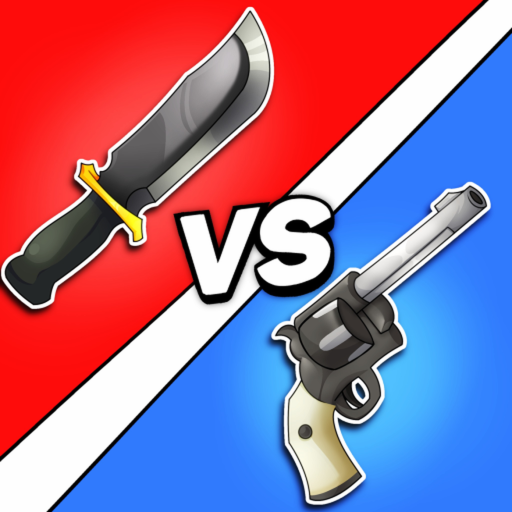
Clean inputs win Knife VS Gun DUELS streaks as much as strategy. This reference covers Roblox default controls plus in-game actions for knife throws, gun aim, movement, Inventory, code redemption, and lobby navigation on Place ID 120700541929930. Because Roblox merges platform defaults with experience-specific binds, treat this page as the practical map — then verify in Settings if the developer adds custom toggles after patches.
Read How to Play first for pad flow, then return here before ranked streak attempts in How to Win Duels.
PC keyboard and mouse
Movement uses standard WASD on keyboard. Space jumps; Shift sprints when the experience enables sprint — many duel maps keep sprint always on or off depending on balance. Hold movement keys during knife rounds to avoid becoming a stationary throw target.
Camera uses mouse look. High sensitivity helps knife flicks; lower sensitivity stabilizes gun tracking. Find separate comfort levels if you split time between pad types.
Primary action (left click) typically throws knives or fires guns depending on equipped weapon. Right click may aim down sights or secondary fire — test in an empty duel after each update.
Number keys or scroll wheel swap tools if you carry multiple items. Most duels auto-equip the round weapon; manual swap rarely matters mid-fight.
Tab opens Roblox leaderboard overlay; in-experience leaderboards near spawn show streak ranks without Tab.
Esc opens Roblox menu — avoid during active duels unless intentionally leaving (counts as loss for streak purposes).
Mobile touch controls
Roblox mobile uses a virtual thumbstick for movement (usually left side) and swipe or drag on the right half for camera. Tap the action button to throw or shoot. Jump appears as an on-screen button when enabled.
Mobile knife play demands tighter movement because fine throw aim is harder than mouse flicks. Many top streak players prefer gun pads on phone and knife pads on PC — experiment before committing to leaderboard pushes.
Disable aggressive screen rotation lock conflicts — some devices fight Roblox camera drag.
Increase touch button opacity in Roblox settings if mis-taps cost you trades during Inventory code entry.
Controller and gamepad notes
Roblox supports gamepads on PC and console-like mobile attachments. Left stick moves, right stick aims, triggers map to primary fire or throw. Confirm button layout in Roblox Settings → Controls before streaking.
Knife throw timing on controller often lags behind mouse for quick flicks; gun aim may feel smoother with analog sticks on tracking-heavy weapons like the Overseer Crossbow from code LIKETHEGAME on the Codes hub.
Knife round control tips
Throws usually bind to primary click or tap. Wind-up animations punish button mash — time one accurate throw instead of three whiffs.
Jump strafes mix verticality into knife exchanges. Practice jump-throw rhythm in low-stakes pads before protecting long streaks.
Crouch, if available, changes head level — bait high throws then crouch-counter.
Gun round control tips
Pre-aim head height while strafing. Stop moving momentarily when taking precision shots if spread penalizes movement — game-dependent, test quickly each session.
Peek with minimal exposure: move camera first, body second. Wide swings lose gun duels against prepared opponents.
Reload binds matter on magazine weapons; reload behind cover or immediately after safe kills before the next duel round starts.
Lobby and menu controls
Inventory opens from on-screen UI buttons — location varies by HUD layout. Inside Inventory:
- Equip knives, guns, cosmetics
- ENTER CODE for promo redemption (How to Redeem Codes)
- Preview items before equipping for duel pads
Shop and unbox interfaces use click or tap navigation. Confirm purchases deliberately; mis-clicks waste coin income.
Emotes bind through Roblox emote bar or in-game wheel — useful for hub socializing, risky if you emote mid-duel opening.
Trade windows open through player interaction prompts. Never trade while queued on a pad — mis-input accepts bad deals.
Code Board and leaderboard navigation
Walk to the Code Board near leaderboards using standard movement controls. No special key required — proximity UI may show readable codes posted by developers.
Leaderboards display top streaks; interact if the UI allows profile inspection.
Rebinding and Roblox settings
Roblox client Settings → Privacy and Controls adjust shift lock, camera mode, and quality. Lower graphics can reduce input lag on weak PCs — indirect but real for gun duels.
Shift Lock (keyboard Shift toggle in some setups) keeps camera behind character; some players enable it for knife consistency, others disable for freelook flicks.
Experience-specific rebind menus appear only if Knife Gun Duels adds them — check patch notes in updates section when controls feel different overnight.
Platform comparison table
| Action | PC | Mobile |
|---|---|---|
| Move | WASD | Virtual stick |
| Camera | Mouse | Right-side drag |
| Attack / throw | Left click | Action button |
| Jump | Space | On-screen button |
| Inventory | UI click | UI tap |
| Enter code | Inventory UI | Inventory UI |
Common control mistakes
Fat-fingering ENTER CODE on mobile — paste codes from Codes hub to avoid typos.
Playing muted mobile without visual sound cues — gun push timing suffers.
Ultra-high mouse sensitivity — knife flicks overshoot.
Leaving Roblox overlay open — blocks clicks during countdown.
Practice drills tied to controls
Ten minutes knife pad: only movement, no throws, learn map edges.
Ten minutes gun pad: tracking moving targets, no crouch spam.
Five minutes menu: open Inventory, equip, redeem test string, re-equip — muscle memory prevents streak-session fumbles.
Related pages
- How to Play — pad and match flow
- How to Win Duels — apply inputs to streak play
- How to Redeem Codes — Inventory code entry
- Guides hub — all tutorials
Frequently Asked Questions
Quick answers about duels, codes, streaks, and wiki pages.
What button throws the knife in Knife VS Gun DUELS?
On PC, primary mouse click usually throws or attacks. On mobile, tap the main action button. Exact binds follow Roblox defaults unless the developer adds custom settings.
How do I open Inventory to redeem codes?
Use the Inventory button in the lobby UI, then select ENTER CODE. Works on PC and mobile. See How to Redeem Codes for the full path.
Does Knife VS Gun DUELS support controller?
Roblox gamepad support applies. Triggers typically fire or throw; sticks move and aim. Verify in Roblox Settings before competitive streaks.
Why is mobile aiming harder?
Touch camera lacks mouse precision. Many players use gun pads on mobile and knife pads on PC, or lower sensitivity through Roblox camera settings.
Can I rebind keys in this game?
Use Roblox client control settings for global binds. Experience-specific rebinds appear only if the developer adds them in an update.
What key opens the Roblox menu during a duel?
Escape on PC opens the Roblox menu. Leaving mid-duel usually counts as a loss and may reset streak progress.